CAD That Costs More Than It Delivers
Across the industry, many design teams are facing the same challenges:
- Rising subscription costs
- Paying for bundled features they don’t use
- Limited flexibility in licensing
- Little meaningful innovation
In fact, many organizations stay with the status quo simply because they don’t realize there’s a viable alternative — or they assume switching is too risky.
Instead of tracking updates across multiple articles, this guide helps you understand:
- what actually changed,
- why it matters,
- and how those changes influence modeling, visualization, documentation, and collaboration today.
The Problem: CAD That Costs More Than It Delivers
AutoCAD has long been the industry standard — but that doesn’t mean it’s still the best fit for modern workflows.
Today’s users are increasingly frustrated by:
- Subscription-only models that lock you in
- Escalating costs without proportional value
- Complex licensing and audits that burden IT teams
- Fragmented workflows requiring multiple add-ons
Even when teams recognize the issues, change feels risky — especially for mission-critical tools.
The Solution: BricsCAD — The True CAD Alternative
BricsCAD was built to solve these exact problems.
It offers a familiar, powerful, and cost-effective CAD platform that fits seamlessly into your existing environment — without disruption.
Why users are switching:
1. Cost Efficiency Without Compromise
- Save up to ~80% on licensing costs compared to AutoCAD
- No forced bundles — pay only for what you need
- Reinvest savings back into your business
2. Flexible Licensing That Works for You
- Subscription, perpetual, and network licenses available
- Scale easily across teams (full-time + occasional users)
- No restrictive named-user limitations
3. Fast Adoption, Minimal Disruption
- Familiar interface for AutoCAD users
- Most teams become productive in days, not months
- Reuse existing menus, scripts, and templates
4. Full DWG Compatibility
- Native DWG support — no file conversion issues
- Seamless collaboration with clients and partners
- Maintain data integrity across workflows
5. One Unified Platform
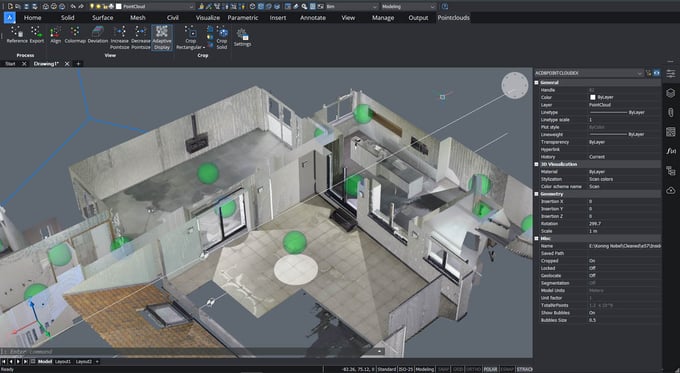
- 2D drafting + 3D modeling in one system
- Built-in civil, survey, and industry tools
- Eliminates need for multiple software packages
BricsCAD vs AutoCAD: What Actually Matters
|
What Users Need
|
AutoCAD
|
BricsCAD
|
|
Cost control
|
❌ Expensive subscriptions
|
✅ Significantly lower cost
|
|
Licensing flexibility
|
❌ Limited
|
✅ Multiple options
|
|
Learning curve
|
✅ Familiar
|
✅ Familiar + faster onboarding
|
|
Workflow integration
|
⚠️ Often fragmented
|
✅ Unified platform
|
|
Customization
|
✅ Strong
|
✅ Strong (LISP, .NET, BRX support)
|
BricsCAD doesn’t just match AutoCAD — in many areas, it outperforms it where it matters most: cost, flexibility, and efficiency.
Real Impact for End Users
Organizations that switch to BricsCAD report:
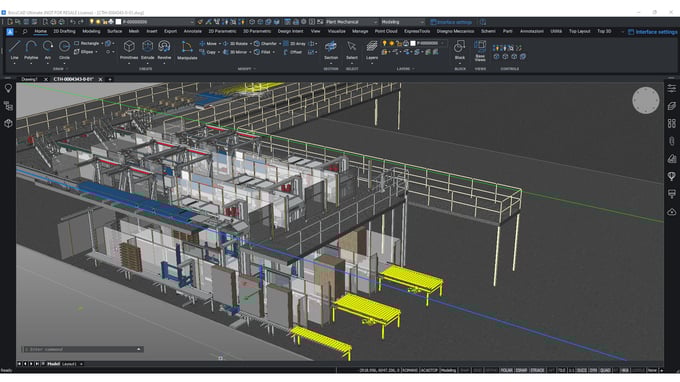
- Faster performance with large datasets
- Up to 70% time savings in some workflows
- Simplified IT management
- Reduced training overhead
And most importantly: more control over their software and budget
Thinking About Switching?
The biggest barrier isn’t technology — it’s uncertainty.
But here’s the reality:
- You don’t need to replace everything at once
- You can run a mixed CAD environment
- Migration is low risk and highly manageable
You don’t have to accept rising costs and rigid systems as the norm.
BricsCAD gives you the same power — with more flexibility, lower cost, and better control.
👉 Explore more: https://www.aeco.space/en/bricscad
Related resources
If you consider switching to BricsCAD, you may also find these articles useful: