Introduction
Many interior design presentations feel visually correct but emotionally flat. The space is shown clearly, yet every image looks the same—bright daylight, neutral sky, identical lighting conditions across all rooms.
This uniformity makes it difficult for clients to imagine living in the space. A kitchen, hallway, and bedroom may share the same design quality, but they rarely share the same atmosphere. When every render feels interchangeable, the presentation reads as technical documentation rather than a lived environment within a broader interior visualization presentation strategy.
The issue is rarely the model itself. More often, it is the lack of environmental variation and scene-specific lighting decisions.
Why Atmosphere Matters in Client Presentations
Atmosphere is what turns a render from a diagram into a story.
Clients do not evaluate interiors only by layout or finishes. They respond to how a space feels at different moments—morning light in the kitchen, a quiet autumn afternoon in the living room, or a warm evening scene with artificial lighting.
The workflow presented in the course treats atmosphere as a controllable design variable. Instead of relying on a single global environment, each view is given its own visual context, tailored to the space and the message it needs to communicate.
Decoupling Environment Settings from the Global Model
A core principle of the workflow is separating environmental settings from the overall model.
Rather than applying one universal lighting and sky setup, the designer creates fixed camera views (Scenes or Images) and assigns each one its own visual preset. These presets retain consistent quality settings while allowing environmental parameters—sun position, weather, season, and atmosphere—to vary per view.
This approach ensures that:
-
each room is shown under optimal lighting,
-
no space feels accidentally dark or flat,
-
and every image supports a specific narrative purpose.
Using Presets to Control Mood Per View
Presets function as containers for environmental decisions.
By duplicating an existing preset, the designer maintains base quality while adjusting only what matters for atmosphere. Each preset is then linked to a specific scene, so when the camera changes, the environment changes with it.
This eliminates the need for manual resets and allows designers to build a diverse presentation set efficiently—without compromising consistency.
Softening Light for Natural Atmosphere
Default render settings often prioritize contrast and clarity over realism. As a result, shadows appear too sharp and too dark, especially in interior scenes.
Reducing shadow sharpness is a critical adjustment. Softer shadows better represent how light diffuses in real environments, immediately removing the harsh “CG look” that distances clients from the image.
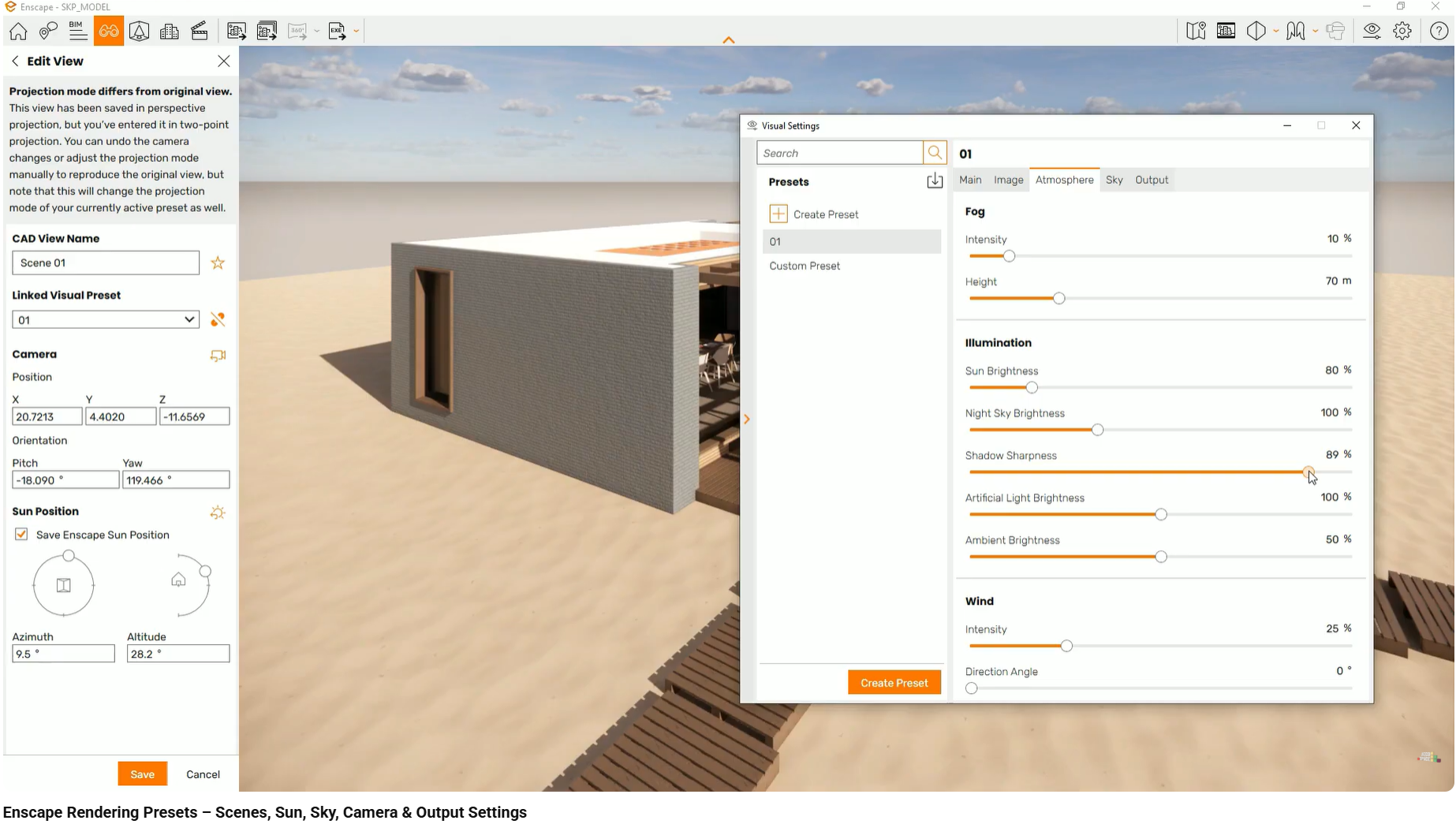
This change alone significantly improves how space, depth, and material relationships are perceived.
Weather and Seasons as Storytelling Tools
Weather and season controls allow designers to communicate more than just geometry.
In Twinmotion, sliders for clouds, precipitation, and season directly affect sky texture, light quality, and vegetation color. Switching from summer to autumn lowers and warms the sun angle, shifts foliage tones, and changes the overall mood of the scene.
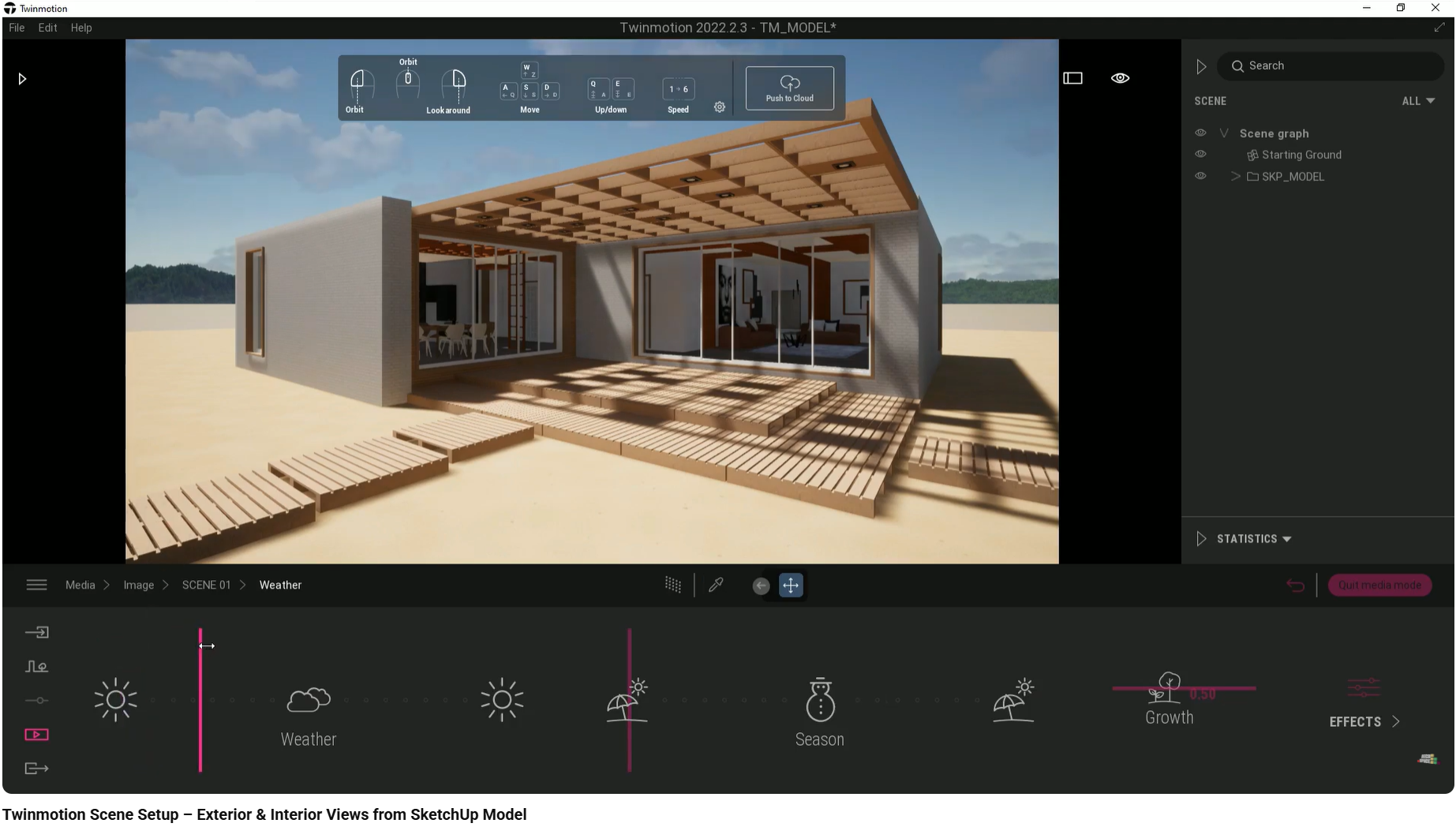
These adjustments are not decorative. They help clients imagine how the space supports different lifestyles and moments throughout the year.
Grounding the Scene with a Real Horizon
An empty or white horizon breaks immersion immediately.
Assigning a contextual background—such as forest, countryside, or city—provides scale and orientation. It anchors the project in a believable environment and prevents the building from feeling isolated or abstract.
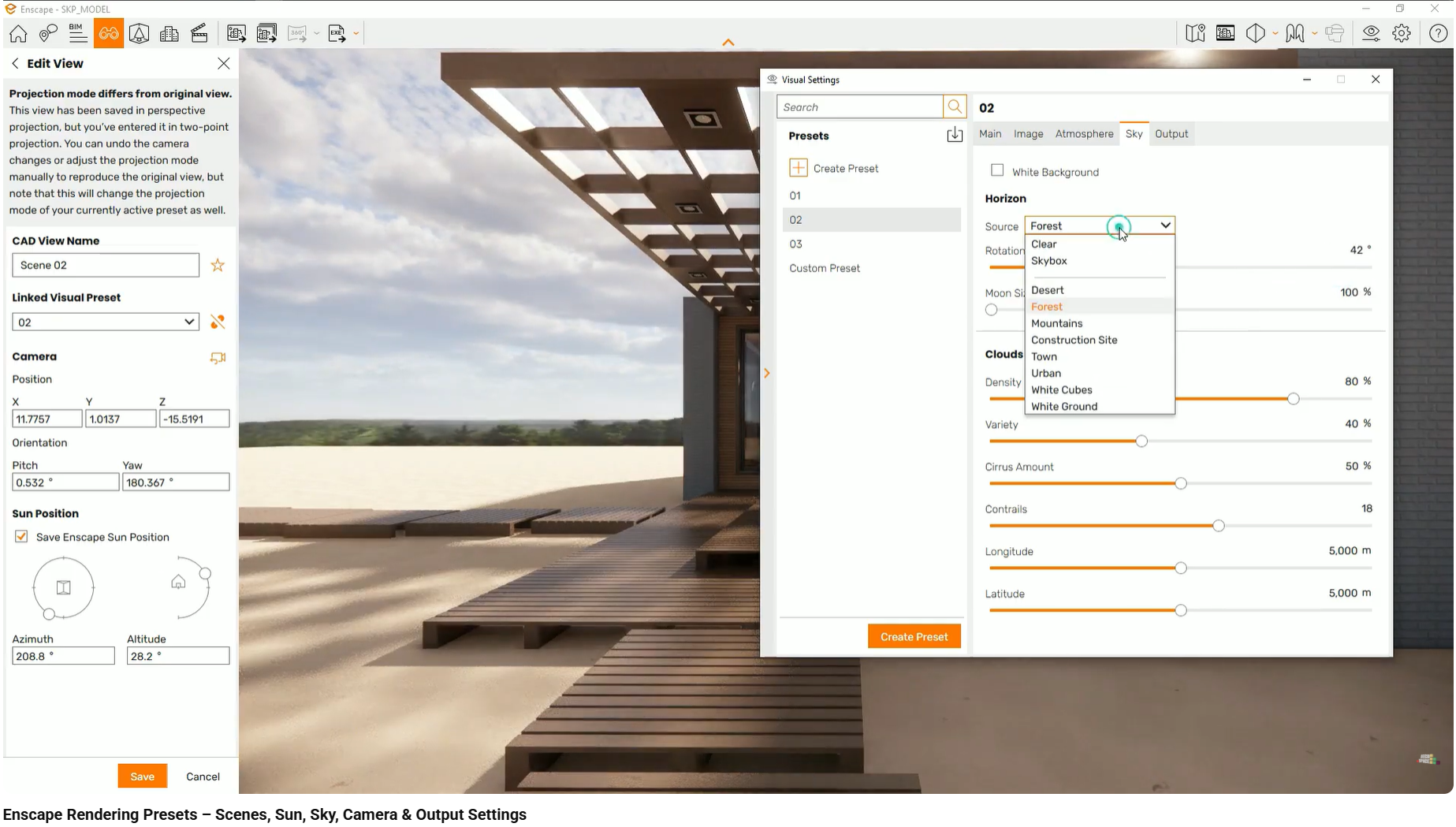
This small decision has a strong psychological effect on how realistic and complete the presentation feels.
Common Errors That Undermine Atmosphere
Using a Single Global Environment
What goes wrong:
One lighting setup is applied to all views.
Why it happens:
Presets or images are not separated per scene.
Effect on client perception:
Some rooms feel dark, flat, or neglected, suggesting design inconsistency.
Leaving Default Shadow Settings
What goes wrong:
Shadows appear black and unnaturally sharp.
Why it happens:
Atmosphere settings are left unchanged.
Effect on client perception:
The image feels artificial and less trustworthy.
Ignoring Background Context
What goes wrong:
Windows open to a blank void or infinite grid.
Why it happens:
No horizon or background is assigned.
Effect on client perception:
Loss of scale and disorientation, reducing realism.
These mistakes often coexist and reinforce each other, resulting in sterile presentations that fail to engage emotionally.
COURSE REFERENCE
This workflow is demonstrated step by step in the interior design visualization course, using real projects in SketchUp, Enscape, and Twinmotion. The course shows how presets, weather, and seasonal variations are applied consistently across multiple scenes.
Related articles
CONTENT BOUNDARIES
This article focuses on creating atmosphere using presets, weather, and seasons inside the render engine. Topics such as custom HDRI creation, post-processing, and advanced lighting simulations are covered separately.