SketchUp
Creating Atmosphere with Render Presets, Weather and Seasons
How interior designers use render presets, weather, and seasons to create atmosphere and stronger emotional impact in presentations.
Why day and night render scenarios help interior designers communicate atmosphere, lighting intent, and lifestyle to clients.
Interior design presentations often rely on a single, well-lit daytime render. While this approach clearly shows the layout and materials, it rarely reflects how clients actually experience their homes.
Most living spaces are used primarily in the evening. When presentations fail to show how a space functions after dark, clients are left guessing. They may understand the design intellectually, but they struggle to imagine the atmosphere, comfort, and lighting experience that defines everyday use within a complete interior design presentation workflow.
This gap between technical clarity and emotional understanding can weaken even strong design proposals.
Day renders are effective for explaining space, proportions, and material relationships. Natural light reveals geometry and surface detail clearly.
However, daylight hides critical design decisions related to artificial lighting. It masks how fixtures contribute to mood, how shadows behave in the evening, and whether the space feels inviting once the sun is gone.
When clients see only daytime images, they evaluate the project as a static object rather than a living environment.
The workflow presented in the course treats day and night not as a single adjustable setting, but as two distinct presentation states.
For the same camera angle, two dedicated scenes are created:
one configured specifically for daylight,
one configured exclusively for night.
This separation allows lighting decisions to shift logically—from managing sunlight during the day to balancing ambient and artificial light at night—without compromise.
Each version becomes a purposeful image rather than a technical variation.
Night renders require a different lighting logic.
Once the sun is removed, visibility depends on global illumination rather than direct light sources. The workflow focuses on balancing three elements:
Exposure, to prevent the image from becoming unnaturally bright,
Ambient Brightness, to ensure walls and furniture remain readable,
Artificial Light Brightness, to keep fixtures luminous without overpowering the scene.
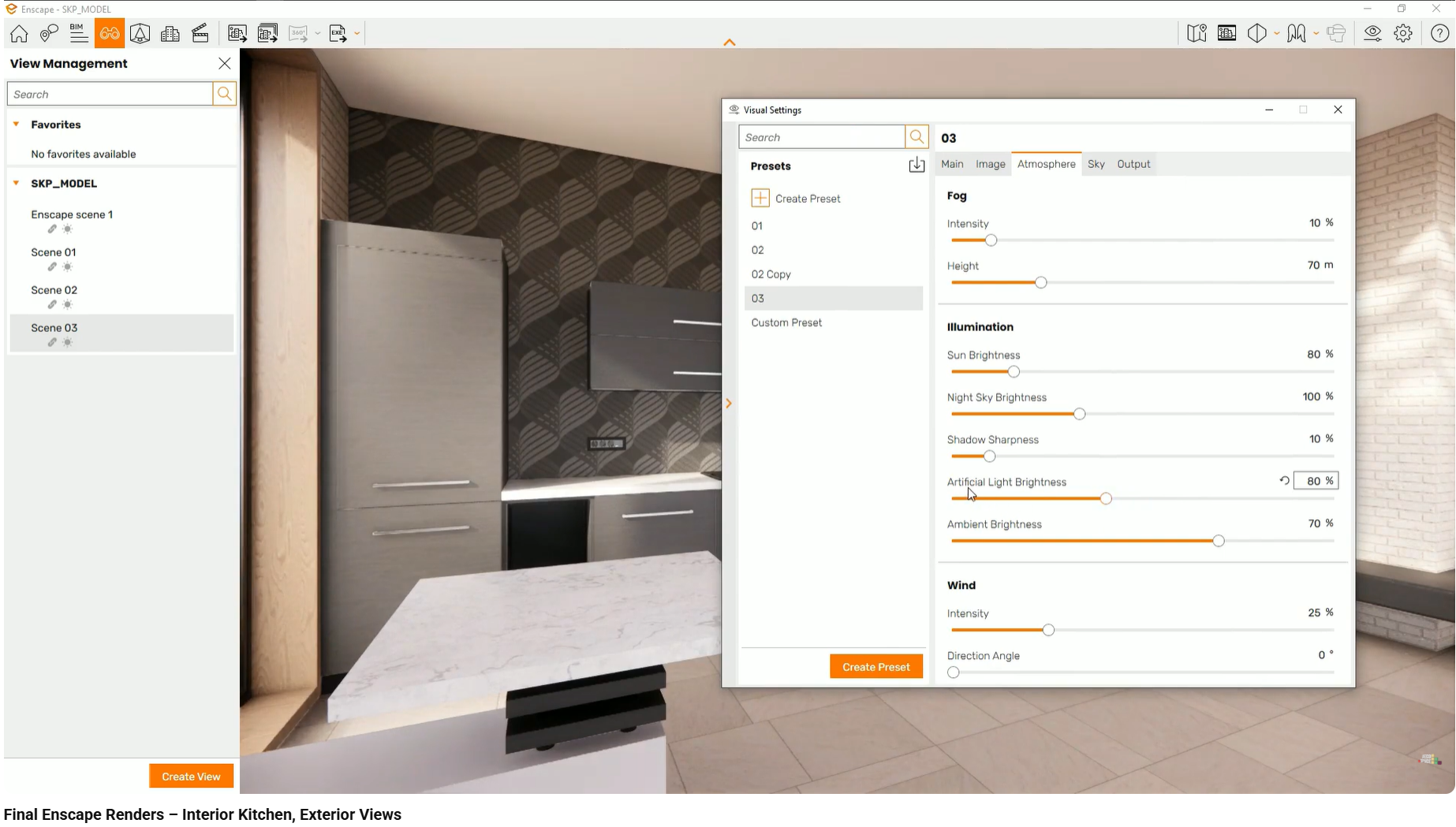
This balance simulates how human vision adapts in low-light environments, allowing clients to understand the space without losing the intended mood.
In night scenarios, artificial lighting becomes the primary design feature.
Pendant lights, spotlights, and lamps define zones, highlight furniture, and create hierarchy. When tuned correctly, they communicate comfort, intimacy, and functionality.
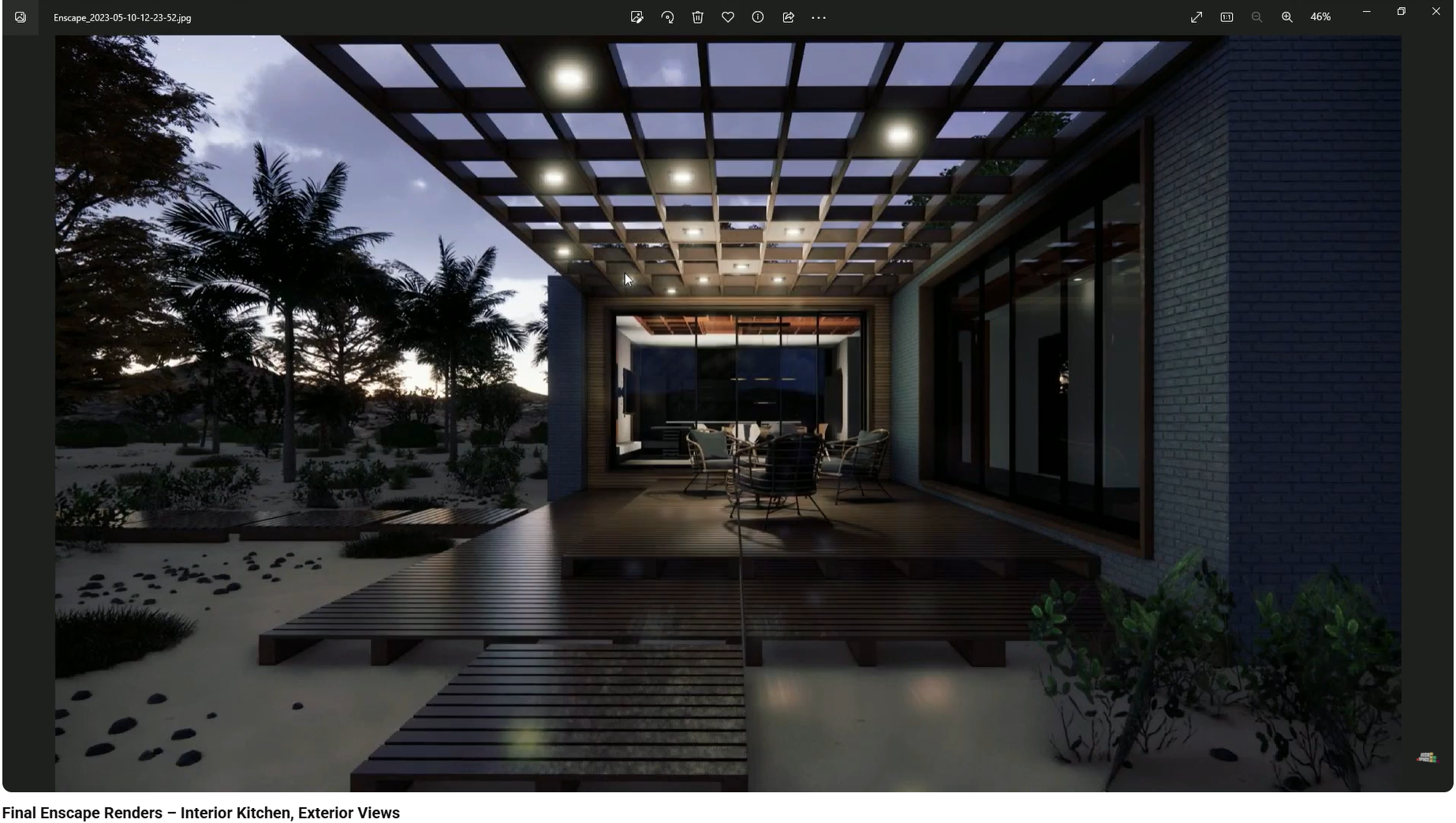
By presenting a night version alongside the day view, designers demonstrate that lighting is an intentional part of the design—not an afterthought.
Successful night renders begin before rendering.
Light fixtures must be placed accurately in the model, aligned with furniture and architectural elements. Grouping fixtures logically allows consistent control when transitioning to the render engine.
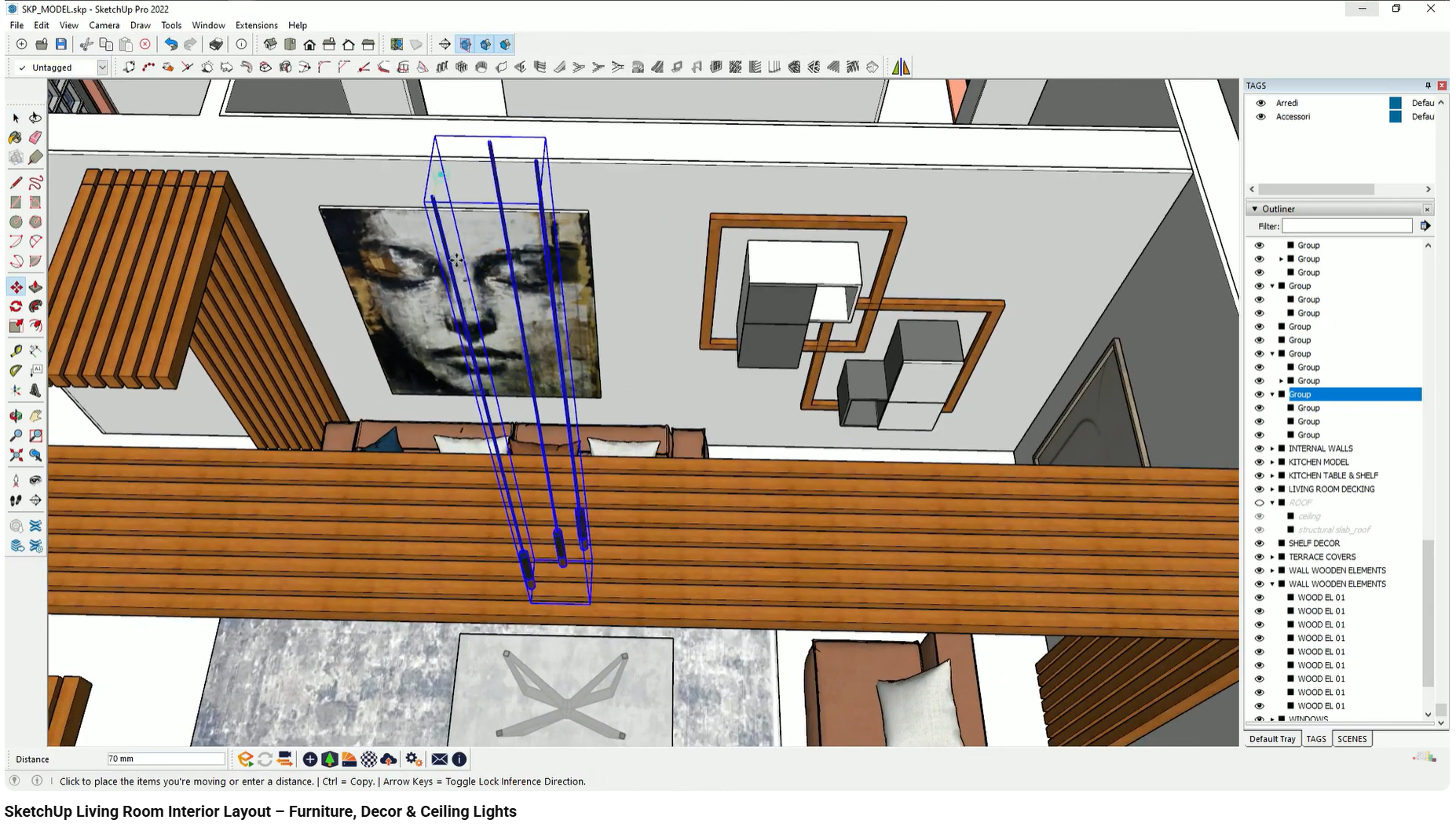
Poor placement becomes immediately obvious at night, where lighting errors are no longer masked by daylight.
What goes wrong:
Night renders are too dark to read materials or spatial relationships.
Why it happens:
The sun is turned off without compensating for lost global illumination.
Effect on client perception:
The space feels uninviting or impractical.
What goes wrong:
Lights appear as solid white shapes with no texture.
Why it happens:
Artificial light intensity is left at default levels.
Effect on client perception:
Lighting feels aggressive and unrealistic.
What goes wrong:
Lights are off-center or incorrectly positioned.
Why it happens:
Inaccurate placement during the modeling phase.
Effect on client perception:
The lighting plan appears careless or unfinished.
These issues reduce trust and distract clients from the design itself.
This workflow is demonstrated step by step in the interior design visualization course, using real projects in SketchUp, Enscape, and Twinmotion. The course shows how day and night scenes are prepared and balanced for client-ready presentations.
This article focuses on using day and night render scenarios for client presentations. Topics such as electrical documentation, IES profiles, and advanced light temperature mixing are covered separately.
How interior designers use render presets, weather, and seasons to create atmosphere and stronger emotional impact in presentations.
How interior designers use lighting scenarios and presets to create atmosphere, realism, and stronger client approval in presentations.
As highlighted throughout our SketchUp interior design course, mastering the native tools is only the beginning. The real leap in productivity comes...