interior visualization
How Detailed Joinery Improves Client Confidence
Why construction-level joinery detail in 3D models increases client trust and confidence in interior design projects.
Learn which visualization mistakes confuse interior design clients and how poor realism, lighting, and context affect approval.
Many interior design projects fail to get approved not because the design is wrong, but because the visualization sends the wrong signals. Clients often struggle to articulate what feels “off,” yet instinctively sense when something looks artificial, incomplete, or confusing.
These reactions are rarely about taste. They are triggered by visual inconsistencies that break realism and interrupt the client’s ability to imagine the space as real and livable. When this happens, attention shifts away from layout, function, and atmosphere toward doubts about quality and feasibility caused by common visualization mistakes.
Clients evaluate renders emotionally before they evaluate them rationally. When they encounter elements that do not behave as expected—flat materials, floating objects, or harsh lighting—the brain flags the image as unreliable.
Instead of focusing on space and function, the client begins questioning details that should have been invisible.
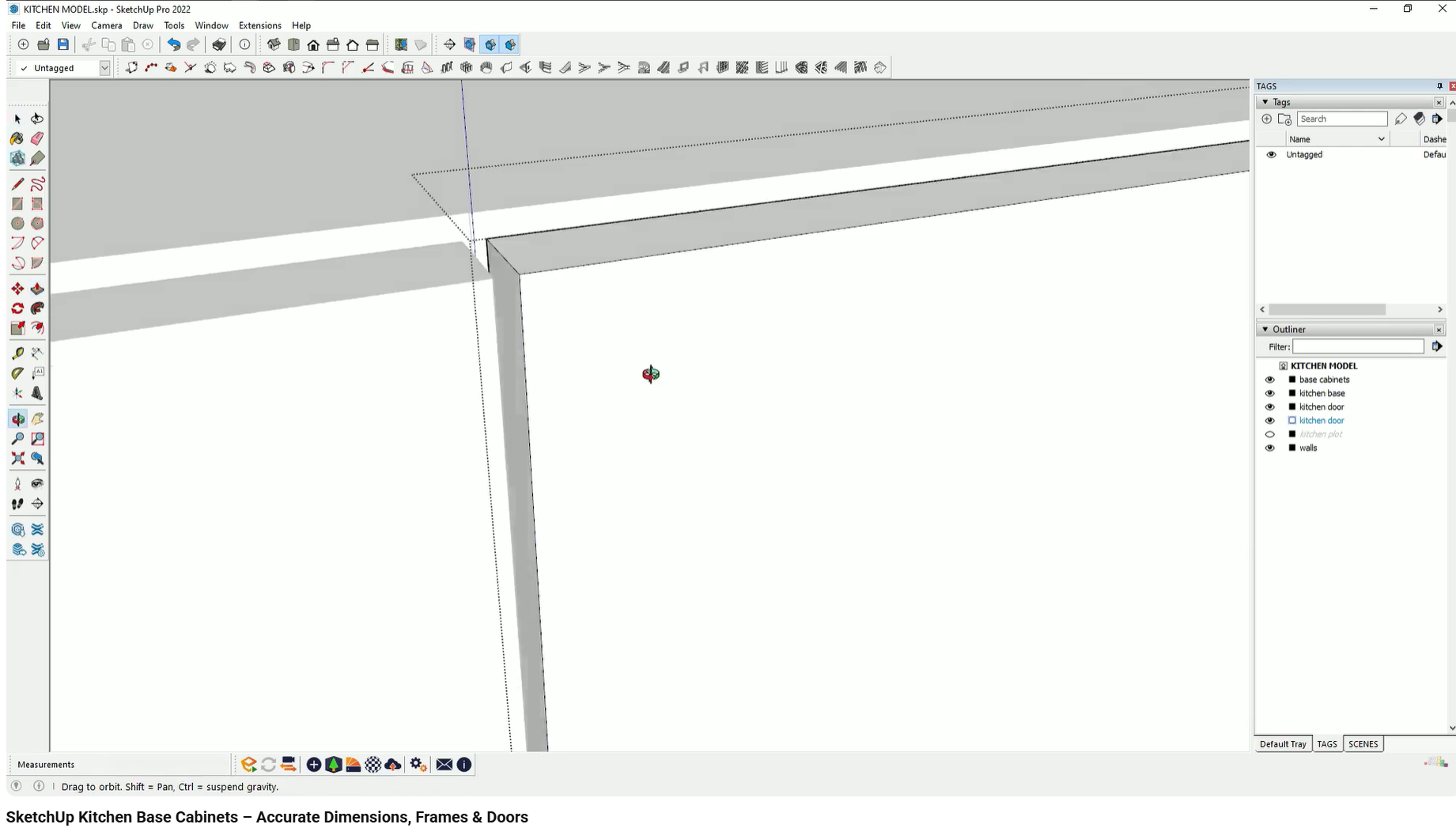
Many models rely on flat geometry with drawn lines instead of physically modeled elements.
When joinery, cabinetry, or panels are represented as single blocks with surface lines:
no shadows appear between elements
depth cues are missing
objects look graphic rather than constructed
This turns functional objects into visual symbols rather than believable elements.
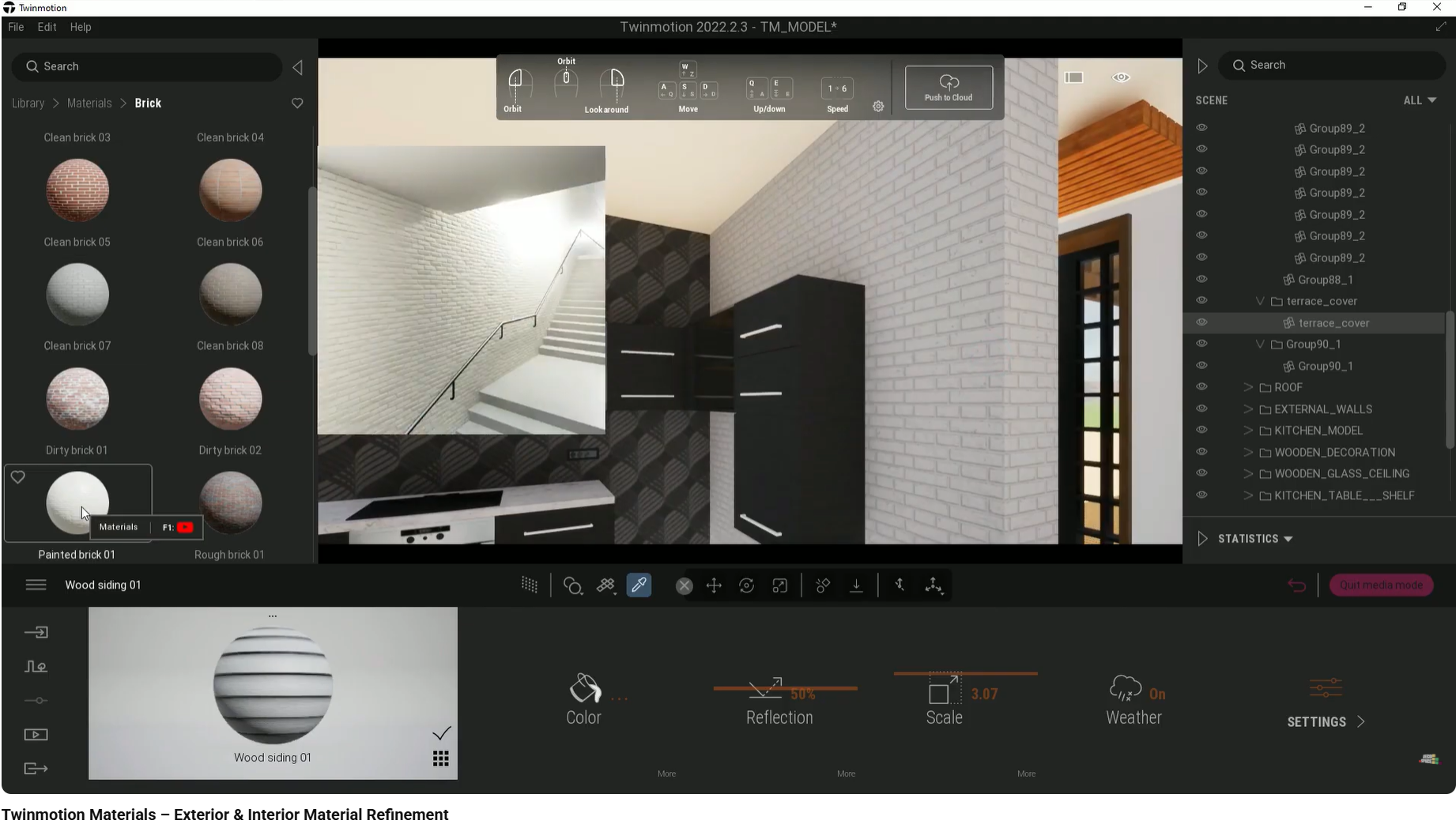
Materials often look artificial because they ignore physical logic.
Common issues include:
wood grain running in the wrong direction
visible texture repetition
flat brick or stone surfaces without relief
When materials behave like images instead of surfaces, clients interpret finishes as cheap or placeholder-like, even if the design intent is high-end.
Models presented on default grids or white voids remove all sense of scale and location.
Without a believable ground plane or horizon:
buildings appear to float
exterior views feel disconnected
spatial orientation is lost
This makes it difficult for clients to understand where the project exists in the real world.
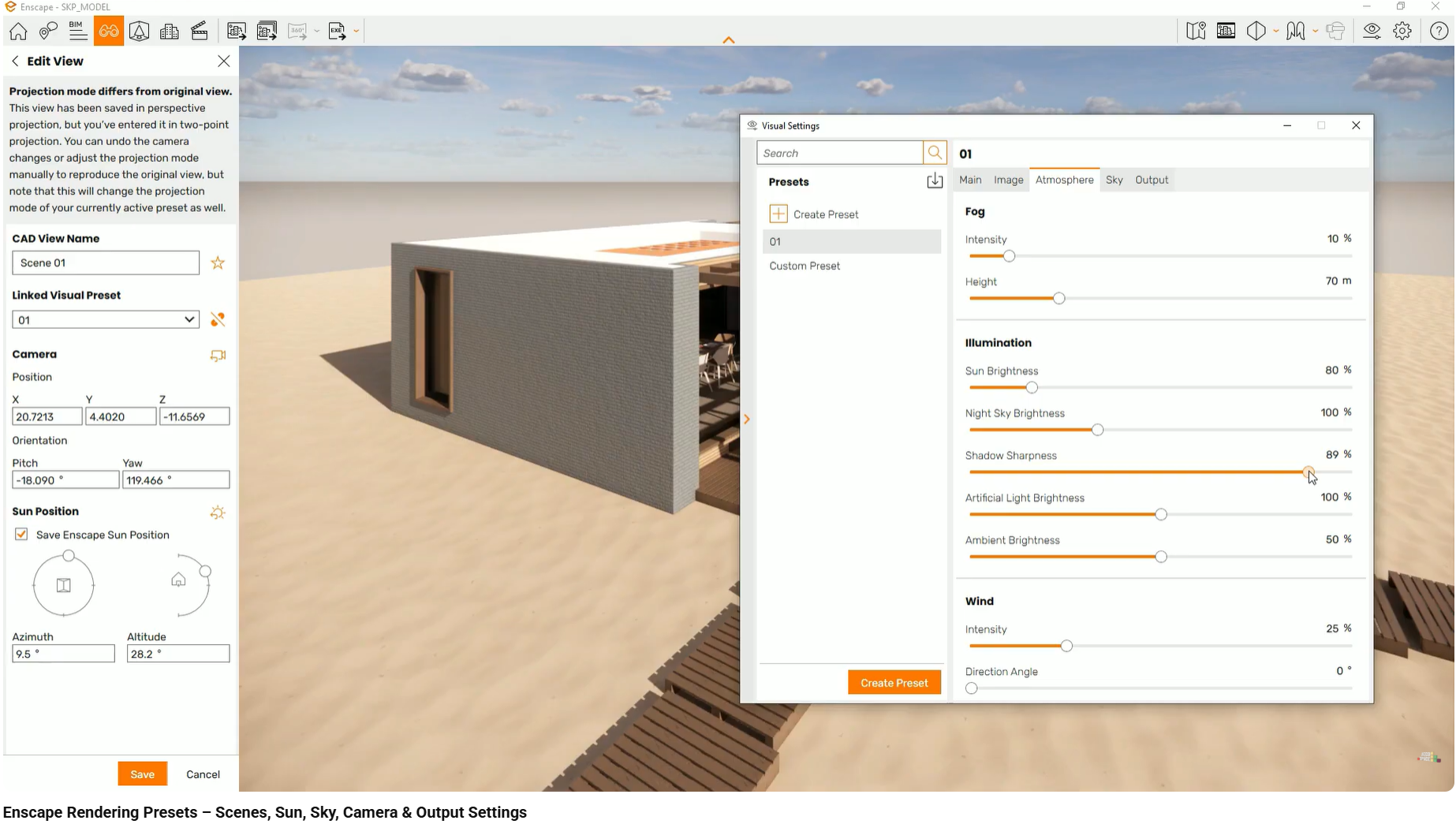
Default lighting settings often produce shadows that are unnaturally sharp and dark.
This creates:
high contrast that flattens forms
a “CGI” appearance
confusion about atmosphere and mood
Lighting that does not resemble real-world diffusion distances the viewer emotionally from the space.
Accessories, rugs, or appliances that hover slightly above surfaces immediately break immersion.
These issues typically occur when objects are placed without precision or axis alignment. Even small inaccuracies are quickly detected by clients, even if they cannot explain why the image feels wrong.
What goes wrong: Cabinetry appears as one continuous block.
Why it happens: Doors are not modeled as separate elements.
Client impact: Joinery feels cheap and conceptual.
What goes wrong: Buildings sit on grids or isolated terrain patches.
Why it happens: Default ground and horizon settings are left unchanged.
Client impact: Loss of scale and spatial trust.
What goes wrong: Brick, stone, or tile looks flat.
Why it happens: Displacement or depth maps are not used.
Client impact: Finishes feel artificial and non-tactile.
What goes wrong: Shadows appear pitch black with hard edges.
Why it happens: High default shadow sharpness.
Client impact: The render feels harsh and computer-generated.
What goes wrong: Rugs, pictures, or appliances don’t touch surfaces.
Why it happens: Inaccurate placement in 3D space.
Client impact: Breaks realism and credibility.
This workflow is demonstrated step by step in our interior design visualization course, using real projects.
This article focuses on common visualization mistakes that confuse clients. Related topics such as advanced lighting workflows, material creation, and post-processing are covered separately.
Why construction-level joinery detail in 3D models increases client trust and confidence in interior design projects.
Learn how adding landscape, horizon, and site context makes interior and exterior renders easier for clients to understand and trust.
How interior designers make materials look realistic in 3D by controlling scale, orientation, depth, and surface behavior.