interior visualization
How to Make Interior Design Materials Look Realistic
How interior designers make materials look realistic in 3D by controlling scale, orientation, depth, and surface behavior.
Why construction-level joinery detail in 3D models increases client trust and confidence in interior design projects.
Clients rarely struggle to understand a floor plan. What they struggle with is trust.
When presented with 3D interiors that feel abstract or overly simplified, clients hesitate. They may like the concept, but they are unsure whether it can actually be built, used, or lived in. This hesitation often surfaces around cabinetry, kitchens, and custom furniture—areas where construction logic is most visible within a broader interior visualization joinery workflow.
Joinery is where design either becomes believable or remains conceptual. When it lacks detail, confidence drops quickly.
Joinery elements—kitchens, wardrobes, wall units—are objects clients interact with daily. They understand doors, drawers, appliances, and clearances intuitively.
If cabinets appear as solid blocks, if appliances float on surfaces, or if proportions feel guessed rather than measured, clients interpret this as uncertainty. They may not articulate it technically, but they sense that something is unresolved.
This is why the course emphasizes joinery, especially kitchens, as the decisive approval point in most residential projects.
The core shift in the workflow is moving away from block modeling toward structural modeling.
Instead of representing cabinetry as single textured volumes, the joinery is broken down into:
carcass (structural frame)
plinth (toe kick)
doors and drawer fronts
countertops
appliances as integrated elements
This separation allows the rendering engine to calculate realistic light behavior between components, which immediately increases perceived realism.
One of the most impactful decisions is introducing 2–4 mm gaps between doors and drawers.
These gaps are not decorative. They allow light to pass between elements, creating subtle shadow lines that signal individual moving parts. Without them, cabinetry reads as a flat surface with lines drawn on it.
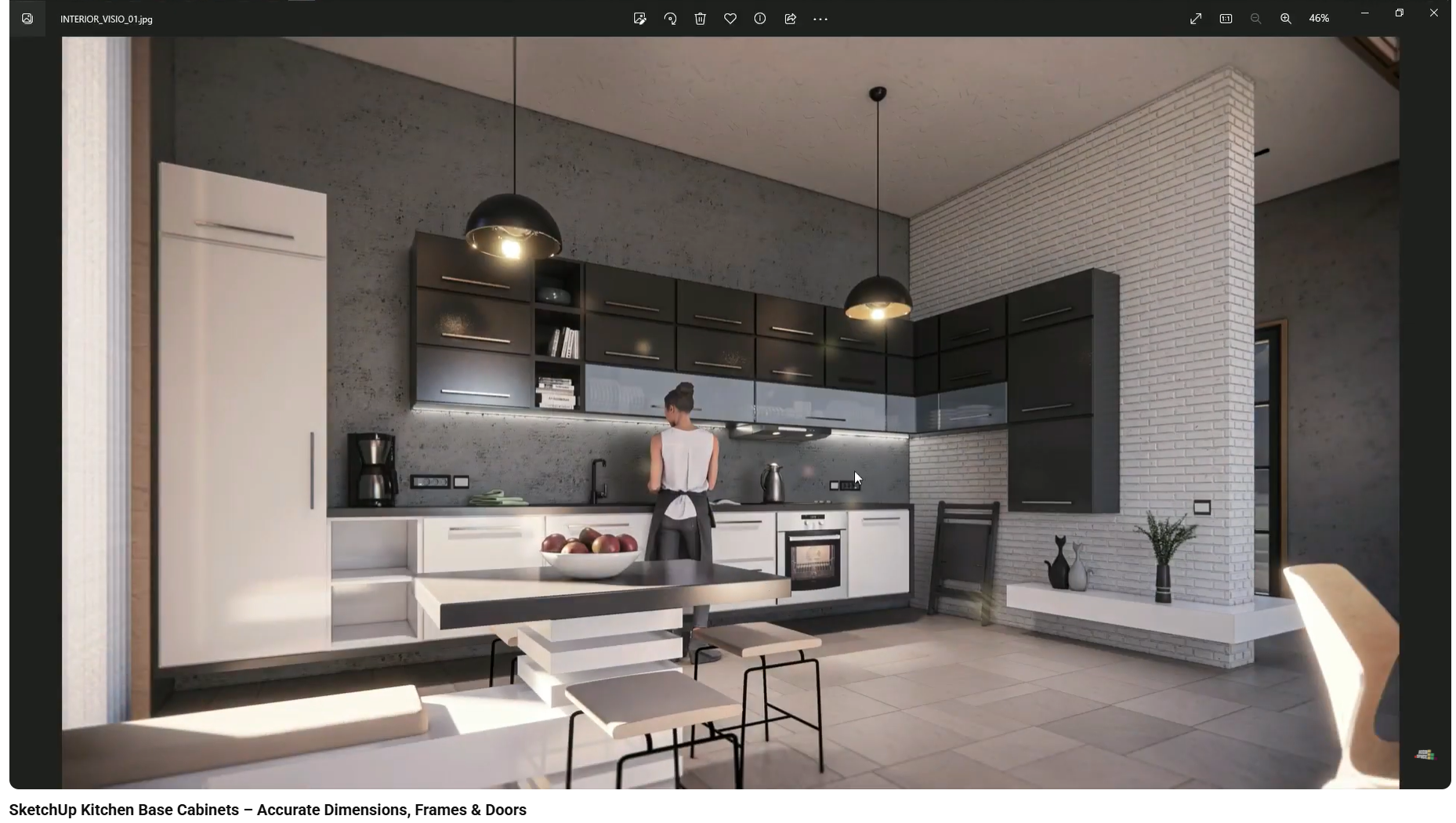
To a client, these shadows communicate precision, craftsmanship, and buildability—even if they never consciously notice the measurement.
Recessing the plinth by approximately 100 mm creates a strong grounding shadow at floor level.
This detail prevents cabinets from appearing to sit directly on the floor like wardrobes or blocks. Instead, the joinery feels lighter and properly proportioned.
Clients may not comment on the plinth, but they immediately feel when it is missing.
Appliances are not objects placed on top of surfaces. They are elements that require space.
Cutting physical openings in countertops for sinks and hobs—rather than placing assets on flat faces—demonstrates real installation logic. The appliance belongs inside the joinery.
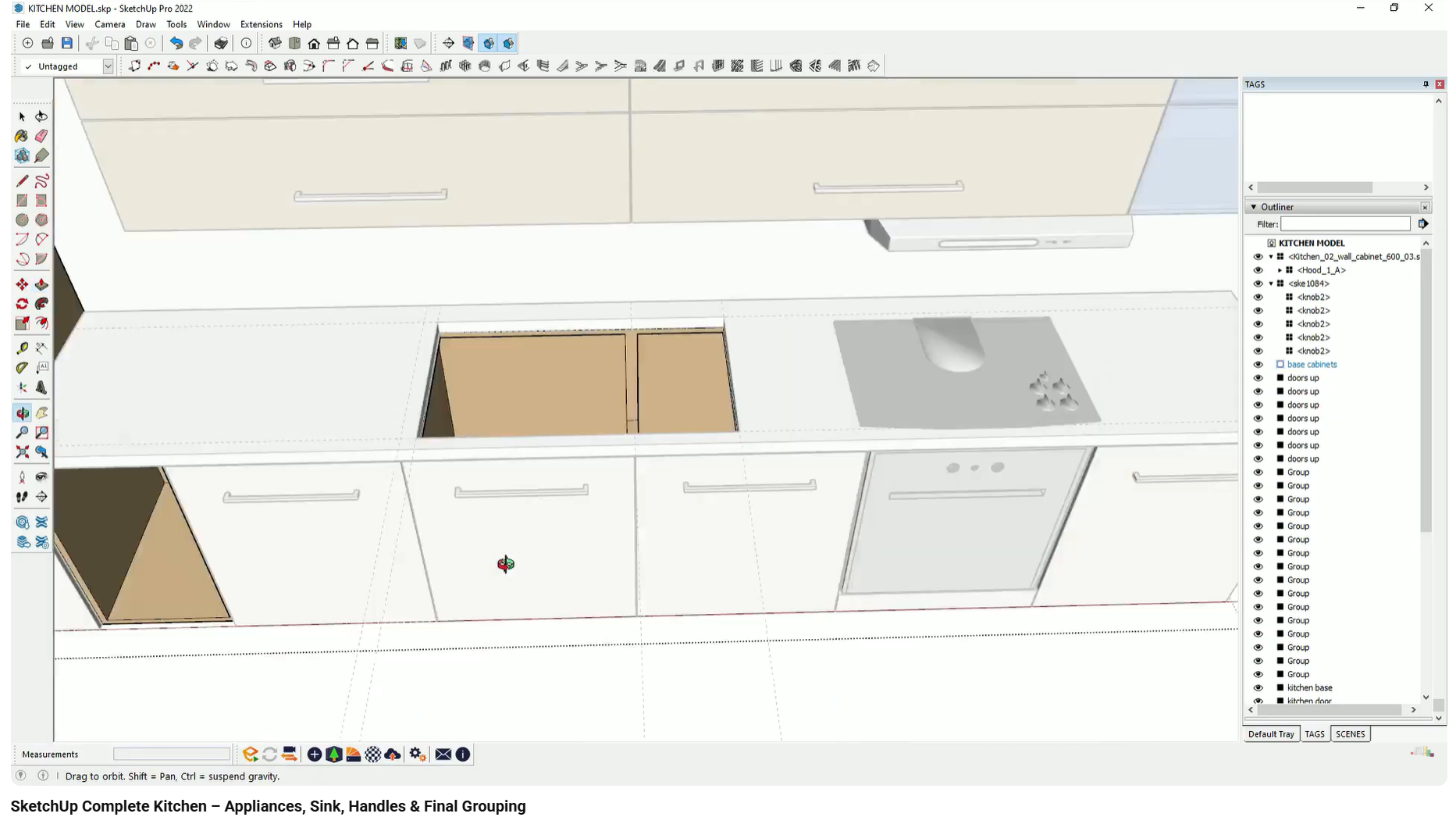
This is a critical trust signal. Clients interpret correct integration as evidence that the designer understands how the kitchen will actually be built.
Joinery feels professional when vertical and horizontal alignments are consistent.
Upper cabinets that align with base units, appliances centered logically, and handles placed with reference lines all contribute to a sense of order. When alignment is guessed rather than constructed, the design feels unstable.
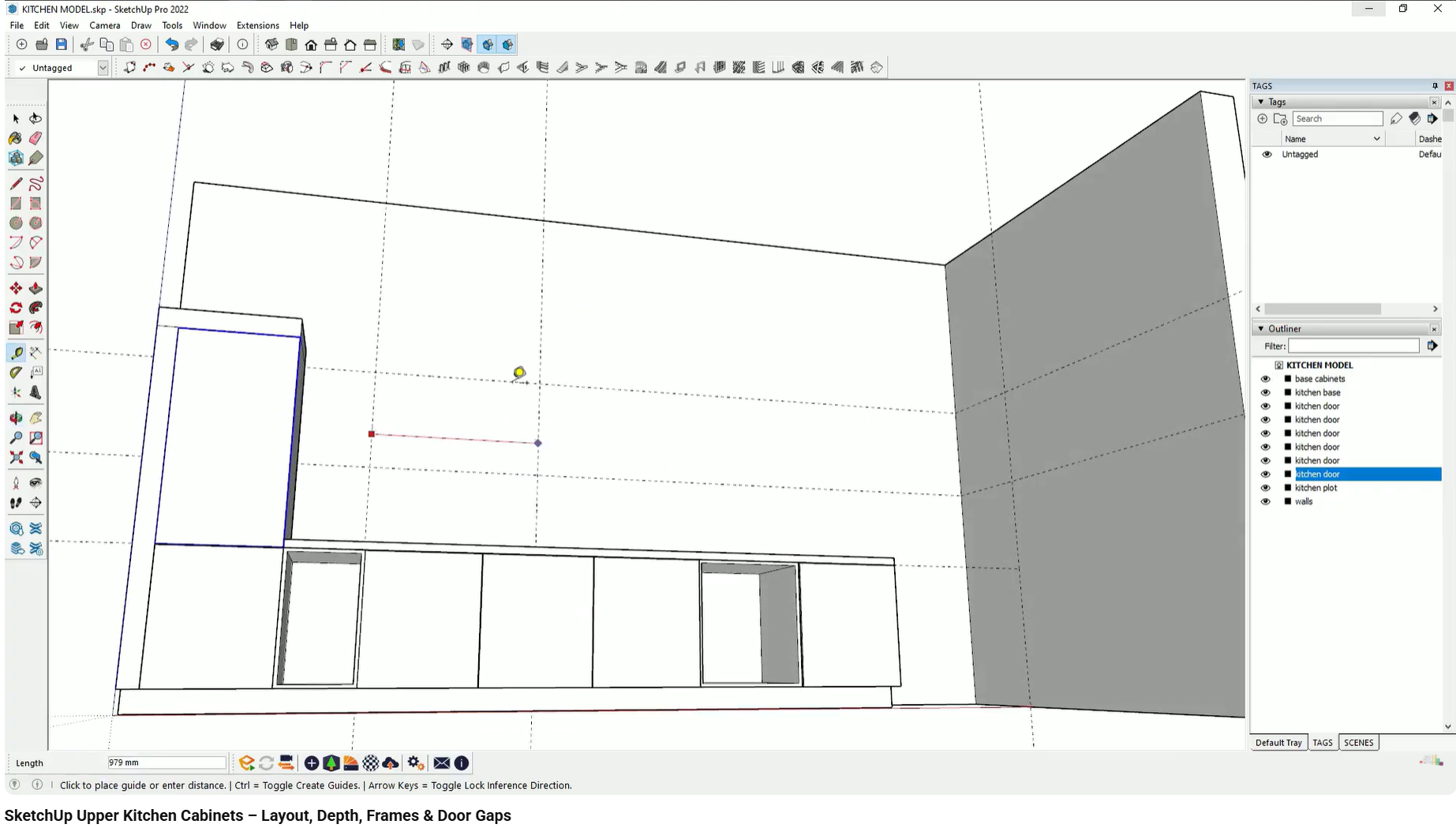
Precision here reinforces the idea that the design is intentional, not approximate.
When joinery is modeled with construction-level detail, the presentation stops feeling like a proposal and starts feeling like a preview.
Clients ask fewer “how would this work?” questions and more preference-based questions:
“Do we want this finish or a darker one?”
“Should the handle be longer?”
“Can we change the countertop material?”
Confidence shifts from doubt to decision-making.
What goes wrong:
Cabinets appear as one continuous block with surface lines.
Why it happens:
Doors are not modeled as separate groups and gaps are skipped.
How it affects client perception:
The joinery looks conceptual and low-quality.
What goes wrong:
Sinks and hobs sit on top of the countertop.
Why it happens:
Openings are not cut into the geometry.
How it affects client perception:
The designer appears unfamiliar with real installation methods.
What goes wrong:
Upper cabinets, base units, or appliances do not align.
Why it happens:
Positions are guessed instead of defined with reference lines.
How it affects client perception:
The design feels unplanned and unreliable.
These mistakes weaken trust even when the overall design concept is strong.
This workflow is demonstrated step by step in the interior design visualization course, using real joinery and kitchen projects. The course shows how construction logic, modeling accuracy, and rendering work together to build client confidence.
This article focuses on joinery modeling for client presentations. Topics such as manufacturing drawings, internal hardware systems, and MEP coordination are covered separately.
How interior designers make materials look realistic in 3D by controlling scale, orientation, depth, and surface behavior.
Learn how to present luxury interior materials in 3D by refining scale, depth, and material logic to improve client confidence and approval.
Why interior design materials often look fake in 3D renders and how scale, orientation, and depth affect realism.